QuintoAndar
Notification Center for Owners
Role
Product Designer and Product Manager
Skills
Product management
Research
UI Design
UX Design
Duration
1 month
Tools
Figma
Figjam
Hotjar
Metabase
Context
ProOwners—professional owners with 5+ properties—are a big part of the real estate market but were underrepresented in QuintoAndar's user base. To fix this, QuintoAndar wanted to improve the product for ProOwners, creating value for both the users and the company.
We focused on enhancing the ProOwners' experience in managing their properties, starting with a ProOwner dashboard to centralize their tasks. The first step was to build a platform to map out all necessary triggers and tasks for ProOwners.
The notifications center was chosen as the first feature, providing immediate value by giving ProOwners visibility of important messages and tasks.
Process
Owner Journey
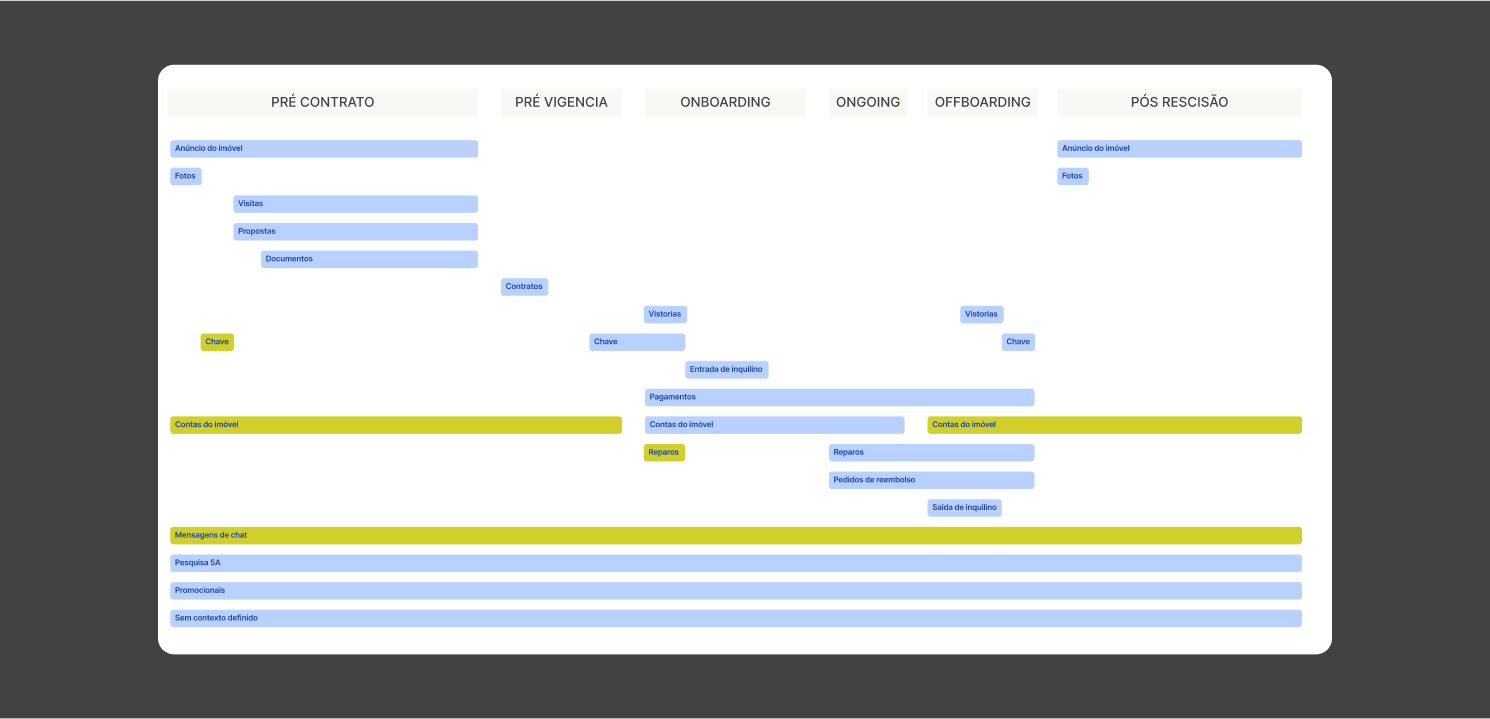
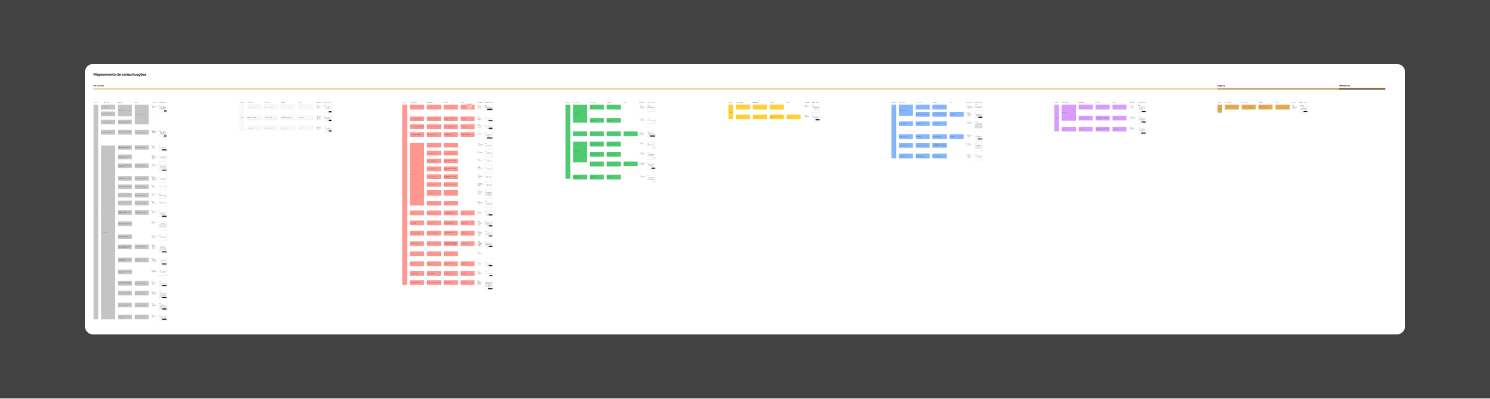
Once we decided to start with the notification center, we mapped the full Owner journey. Working closely with engineers, we identified all the notifications and messages triggered during the journey. We then mapped the notification anatomy and its properties.
Inspiration Board
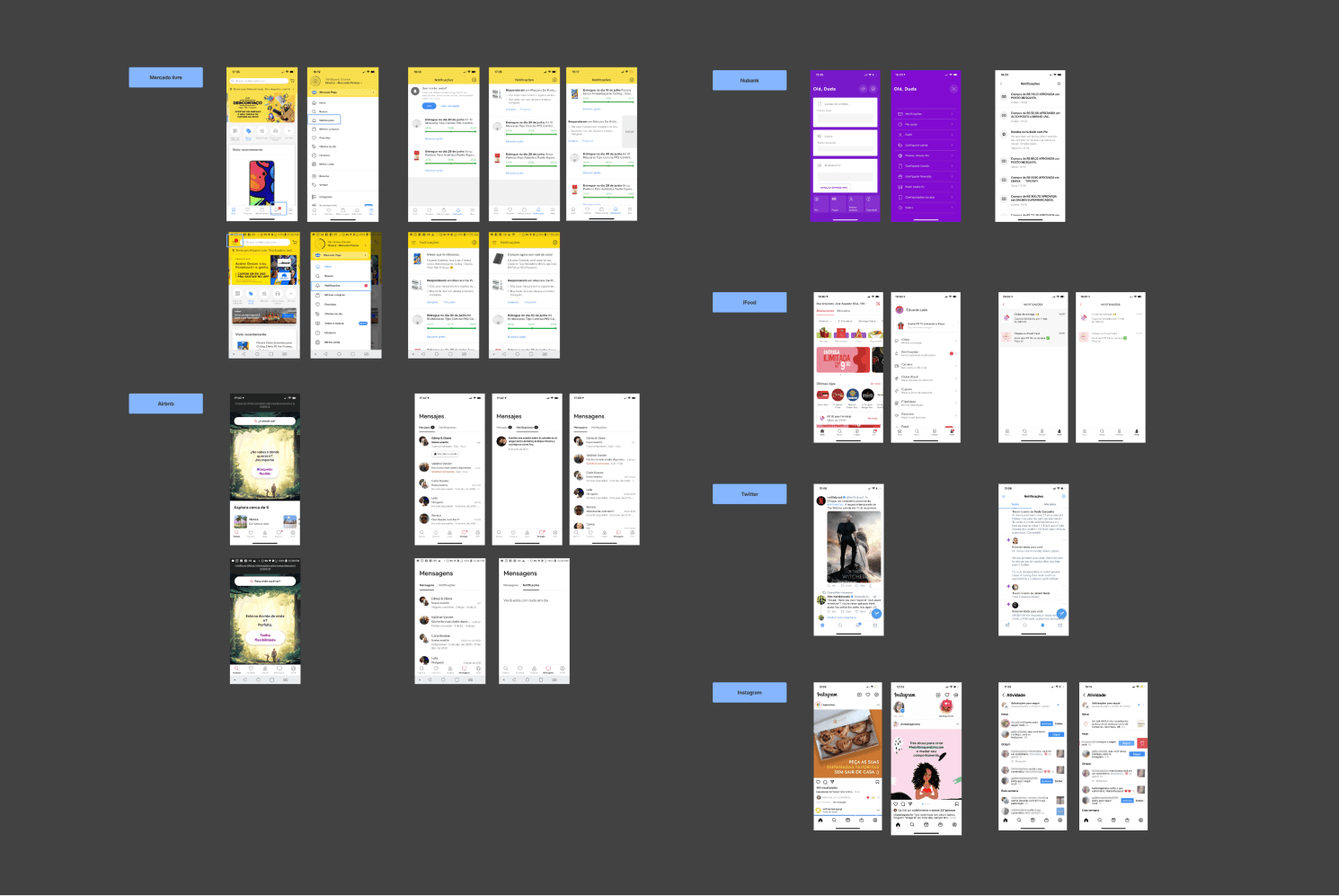
To design our notification center, we analyzed how other players in the market built theirs.
Ideation
Workshops
We had an ideation session with other designers in similar contexts to explore different scenarios and ways to design this feature.

Design Critique
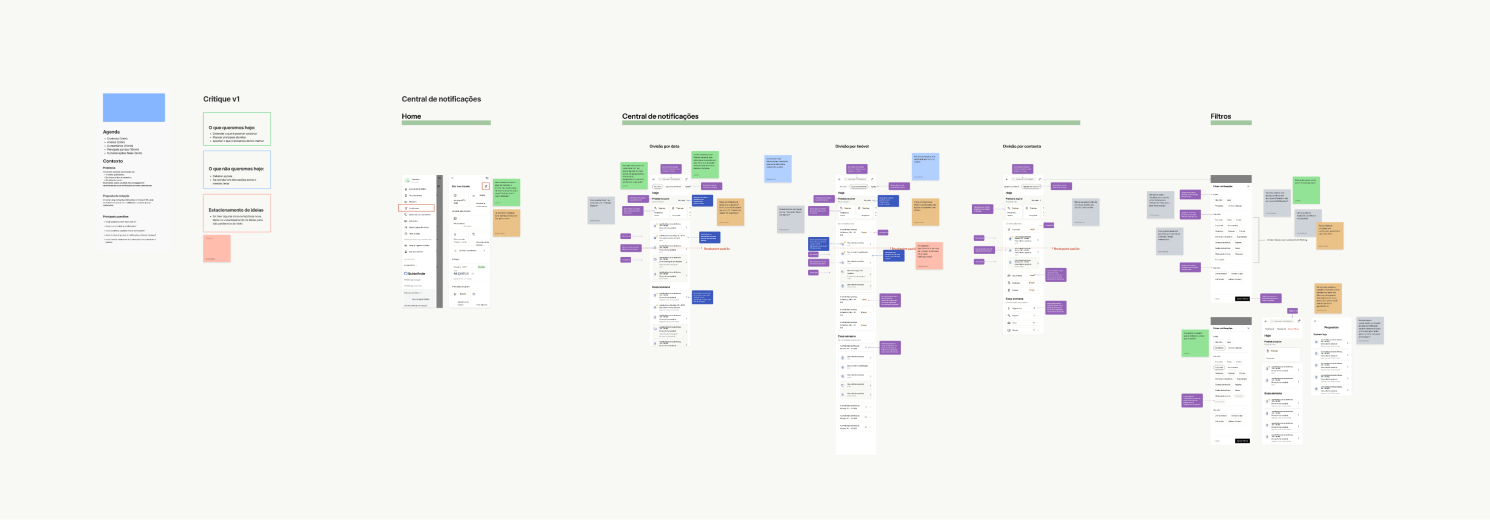
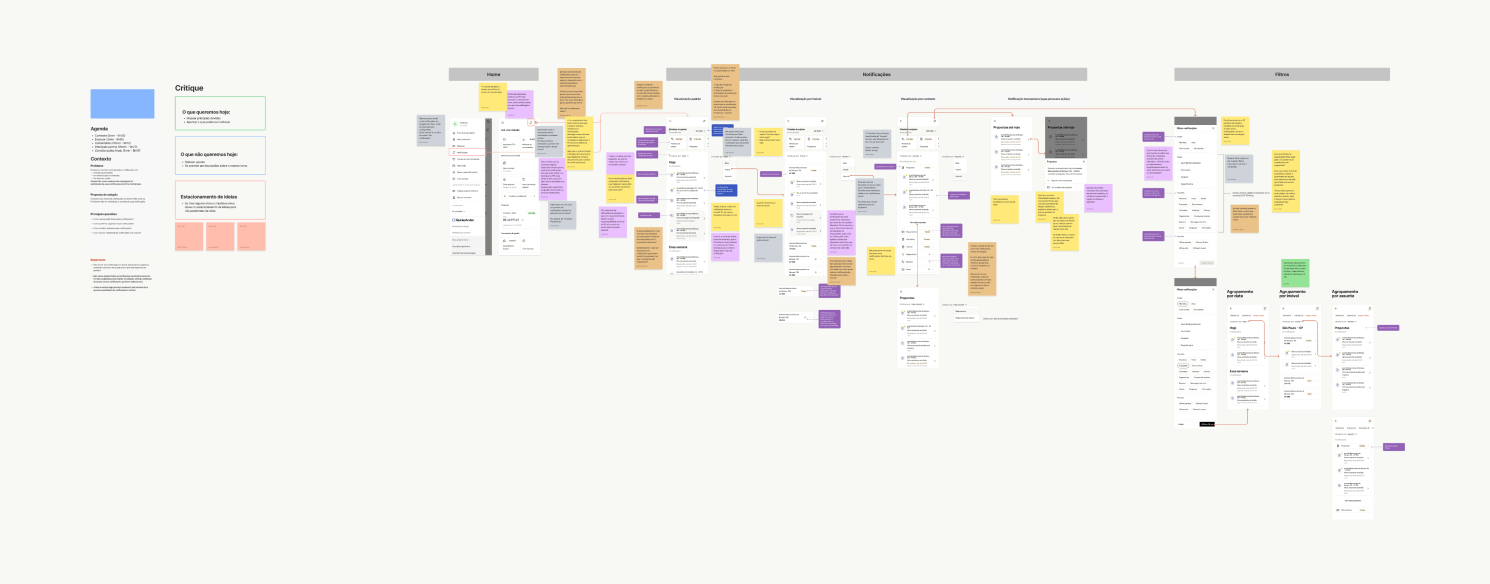
After designing the first version, I facilitated a design critique with my product team to share my ideas with engineers and get their feedback. After refining the prototype, we had a design critique with all the other squads in our tribe to gather feedback and detect overlaps.
Team Critique
Design Critique
Notification Anatomy
After defining the information architecture for the center and allowing the development team to map all notifications, it was time to design each notification.
Final Designs
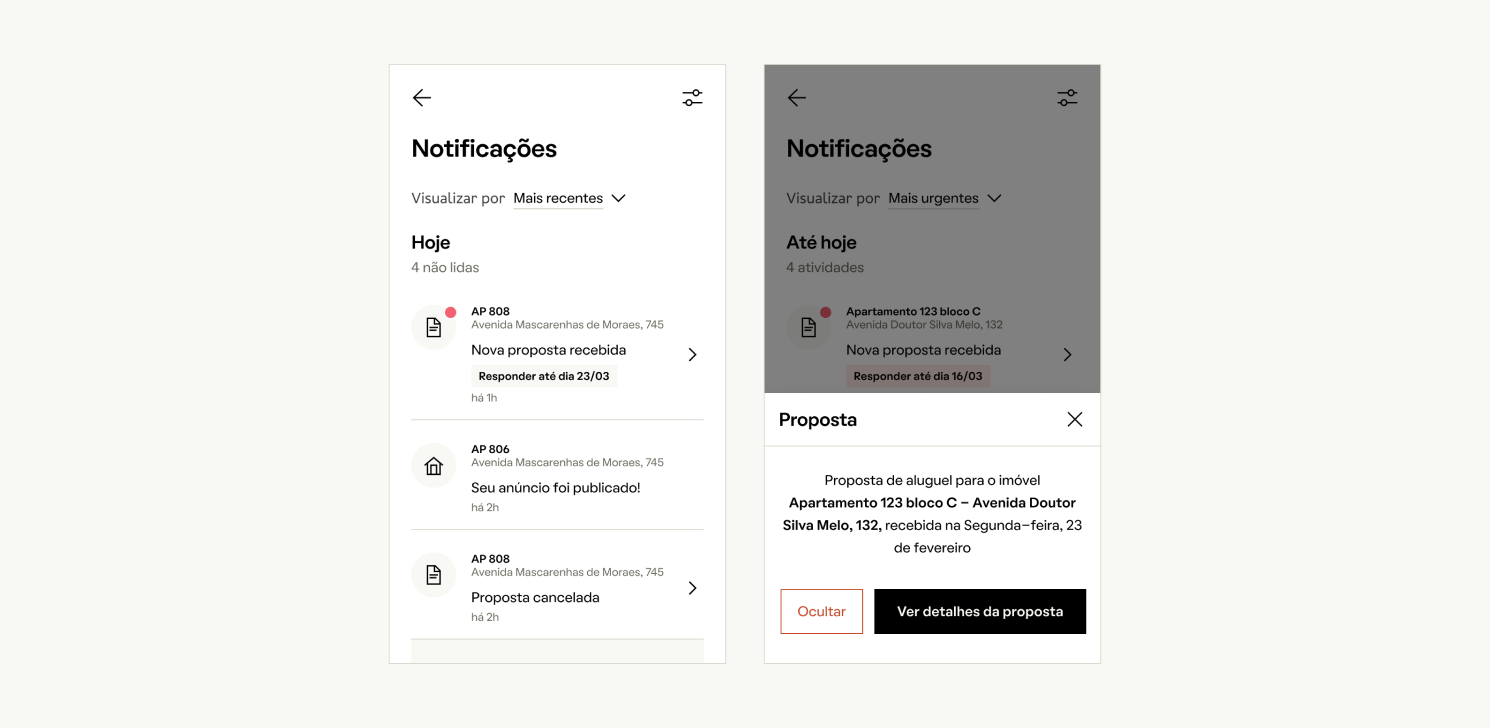
Default Notification View
The default view shows a list of notifications. When users click on one, a drawer opens, displaying the notification content and possible actions.
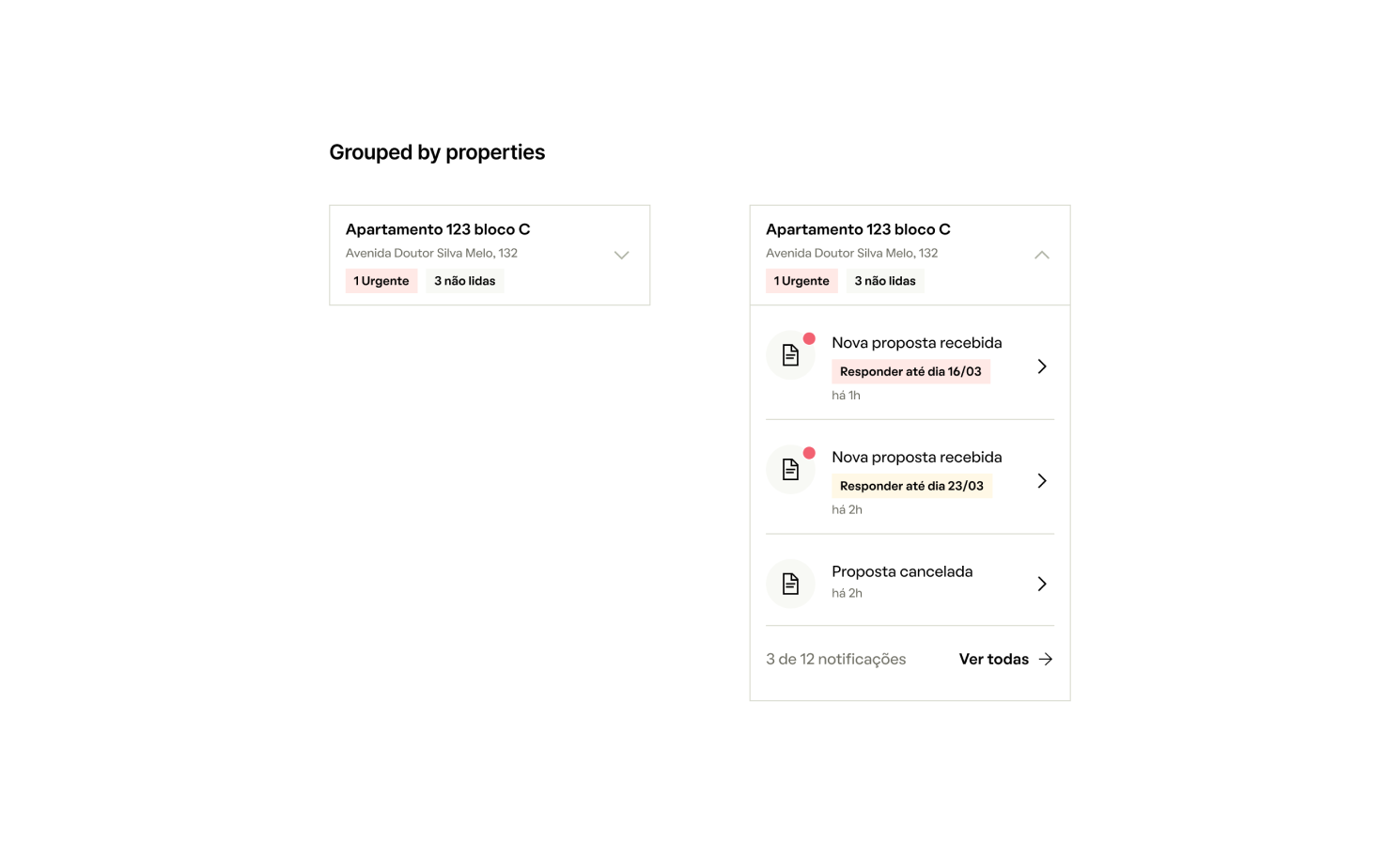
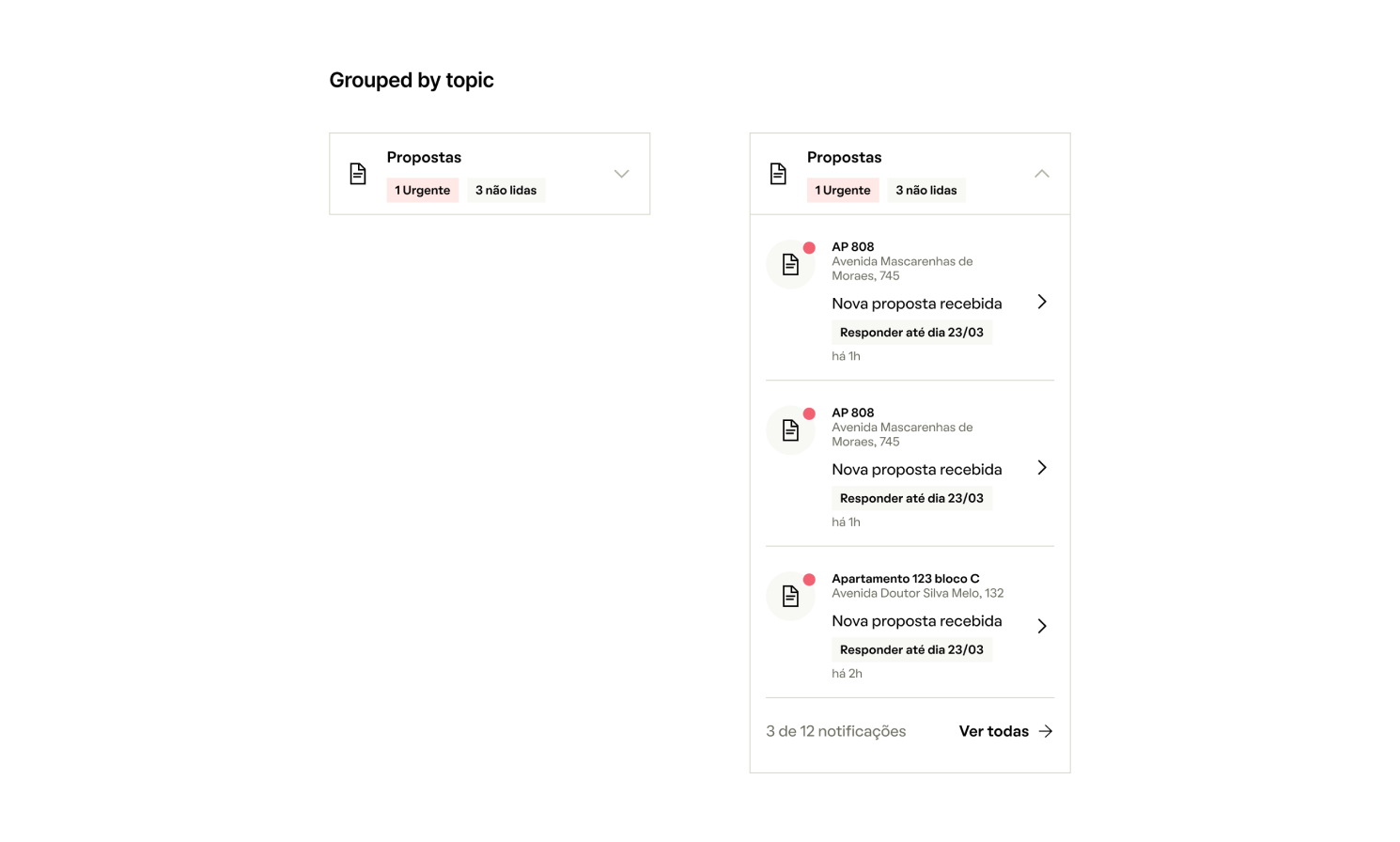
Notification Grouping
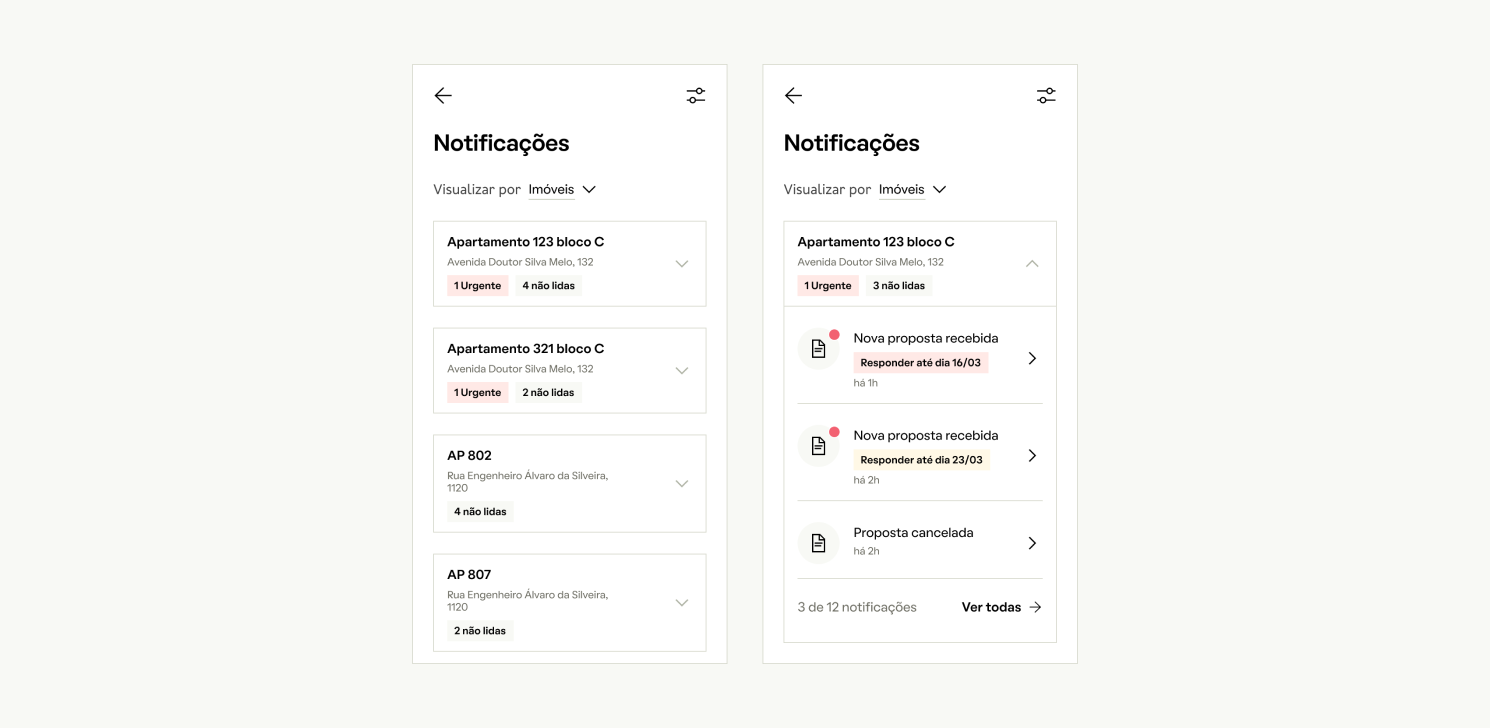
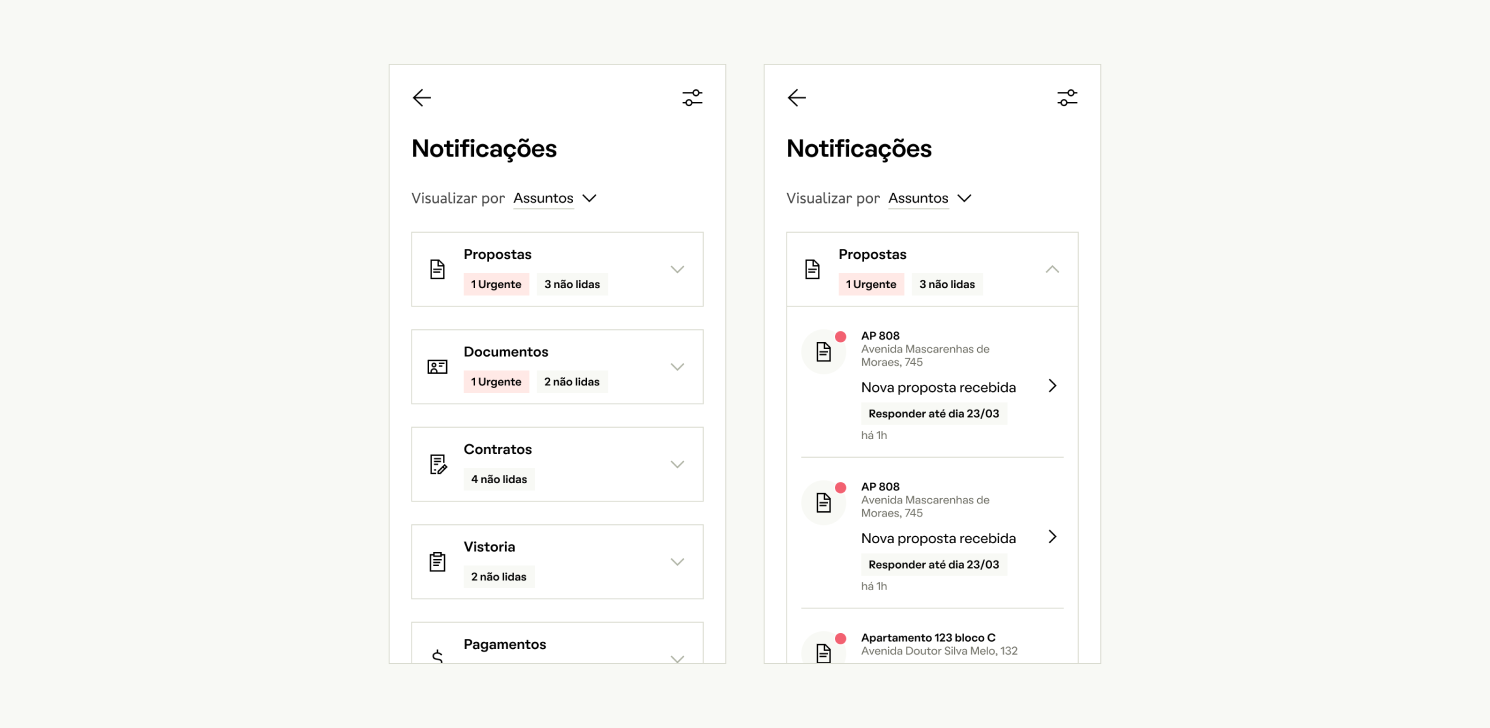
Notifications can be grouped by property or topic.
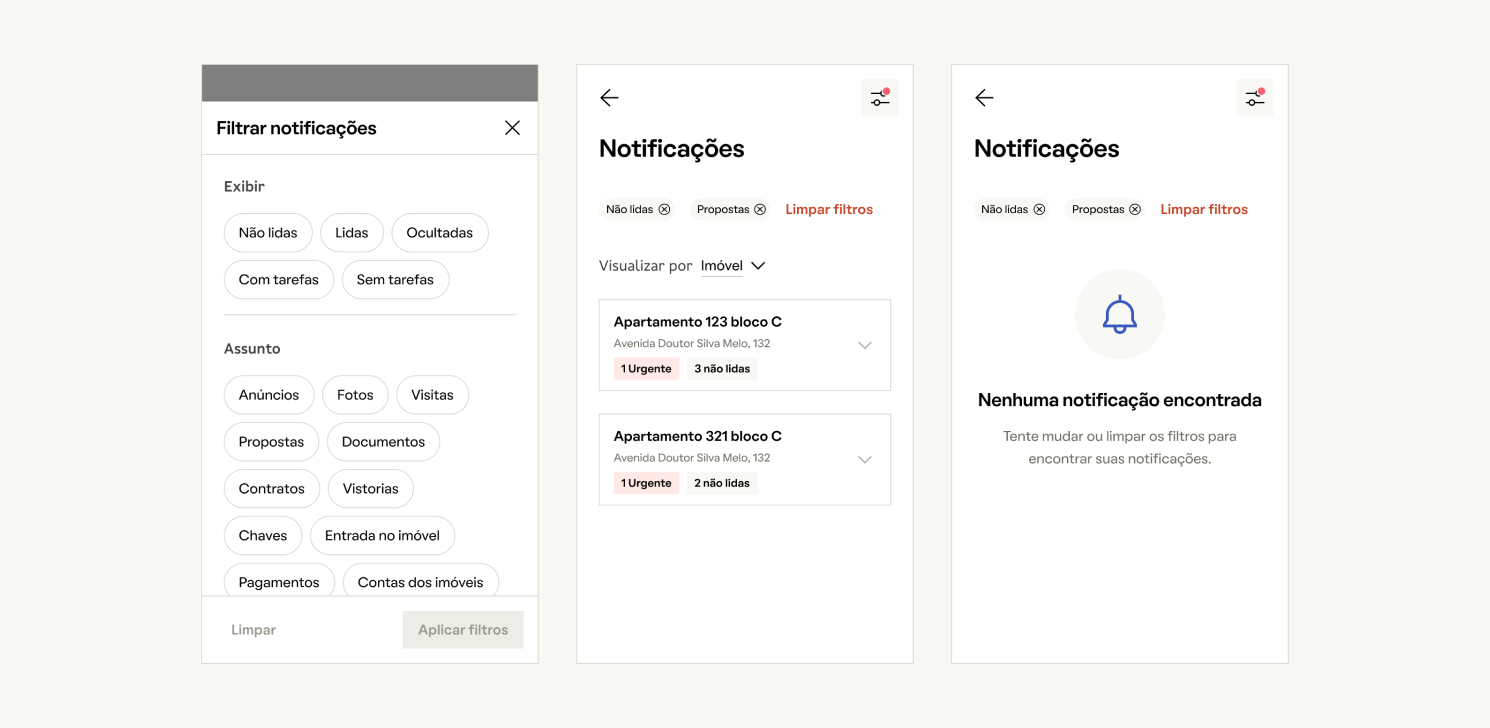
Filters
Users can filter notifications by status (e.g., unread, read), tasks, and subjects like ads or documents. The middle panel shows filtered notifications by property, with labels for urgency and unread messages. The right panel shows an empty state with a suggestion to adjust filters if no notifications are found.
Development
Component Anatomy
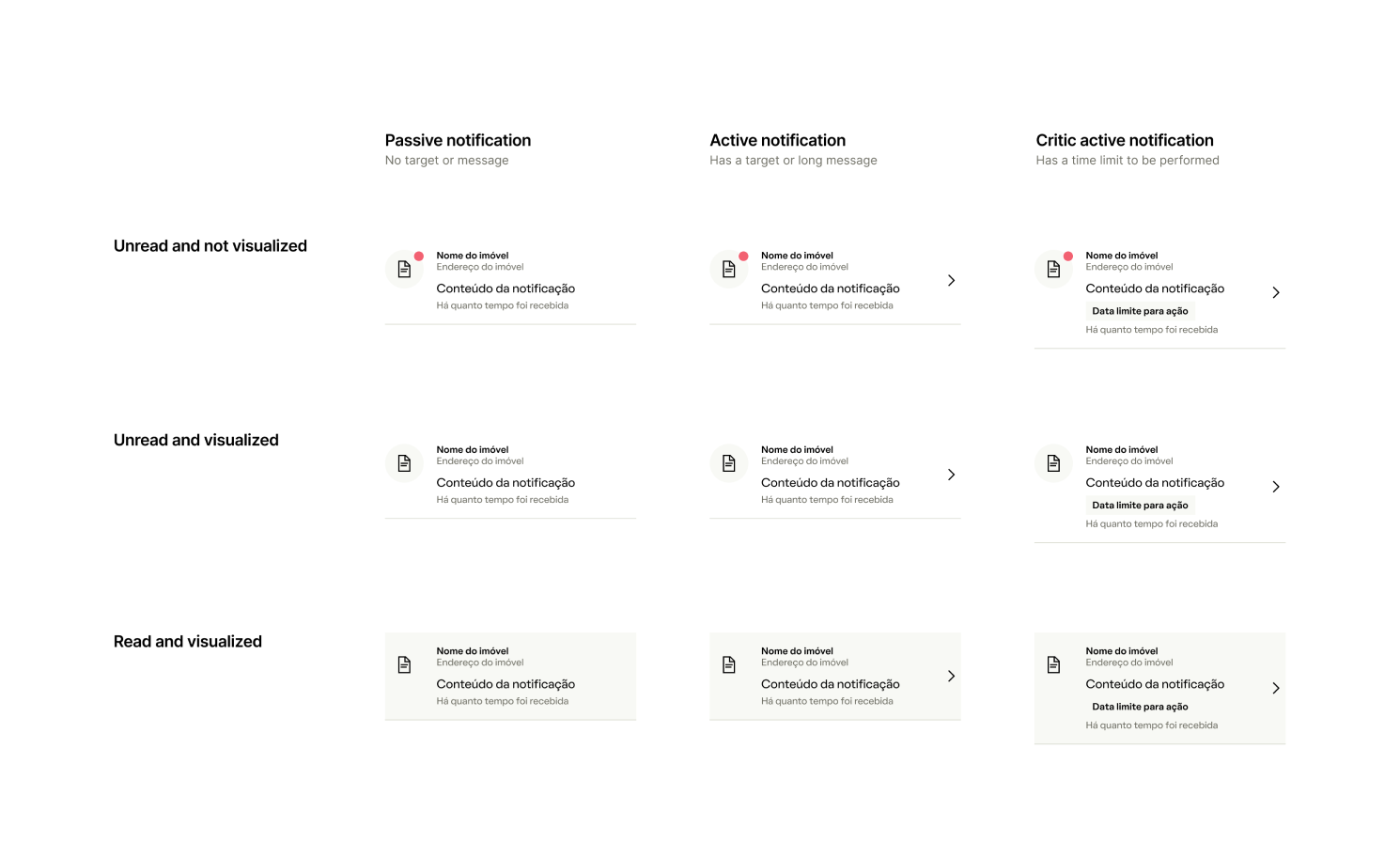
Notification Variants
Grouped by Property
Grouped by Topic
Results
We had just shipped the first versions when I left the company. Besides all the metrics we defined, we could already see some results from this journey.
Tangible
- Thanks to our platform service, we shipped things quickly across all of QuintoAndar.
- By defining a long-term solution, we created a clearer vision for the home screen and dashboard, helping teams decide where to place their features.
Intangible
- This project's huge scope had many overlaps, but it ultimately helped teams collaborate better and know when to hand over responsibilities.
- Sharing more and often was key. It taught me not to be afraid of showing unfinished work—it's the best time to get feedback and move quickly.
Let's get in touch!
Feel free to reach out, I'm always up for a good chat :)
© Victor Zanivan 2026